


MovieClick
Project as a part for Google UX Design Certificate
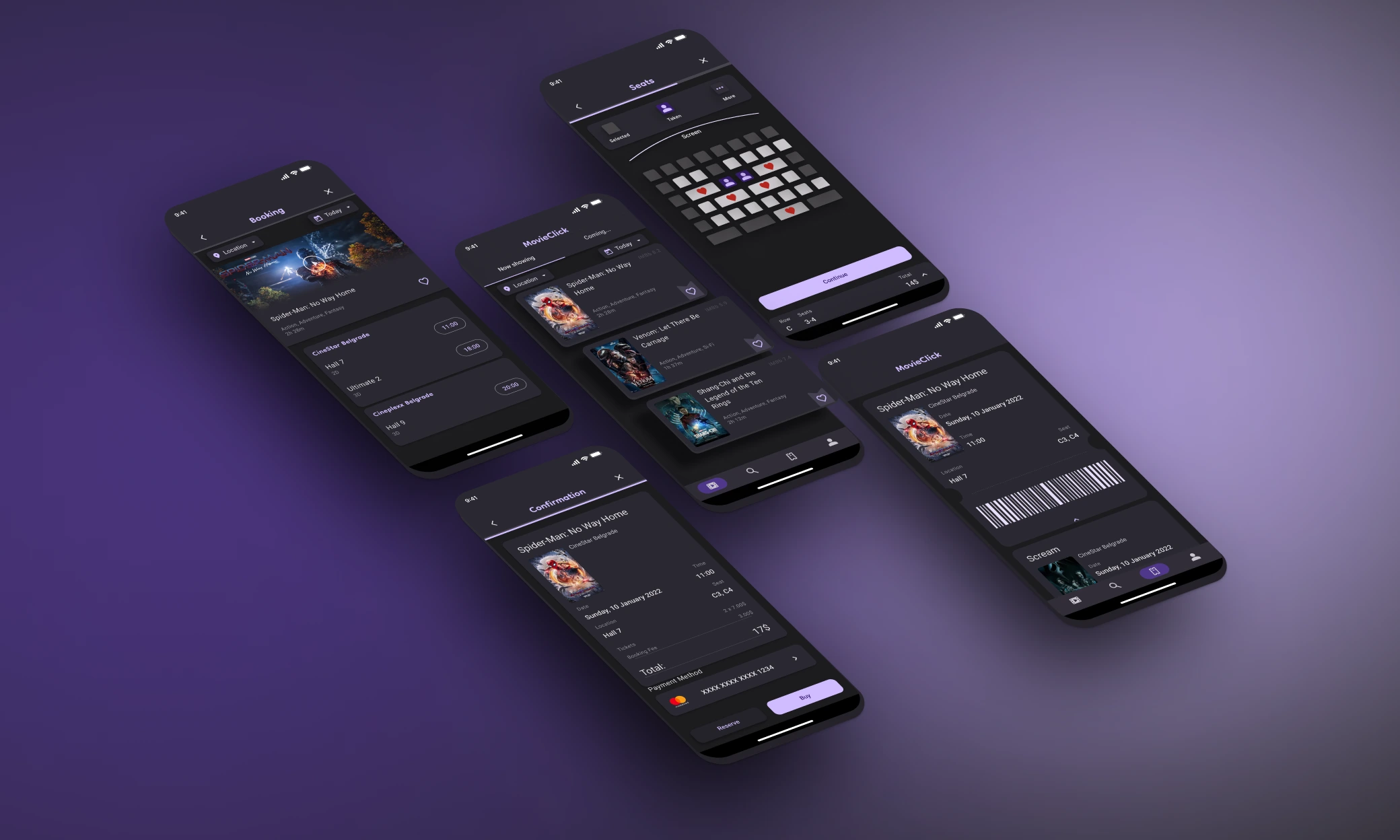
PROCESS HIGHLIGHTS
Design responsibilities overview
The goal
MovieClick app will let users buy movie tickets online which will affect users who wish to purchase tickets, quickly and easily by enabling them to easily find a film they want to watch.
Responsibilities
Conducted interviews, paper and digital wireframing, low and high-fidelity prototyping, conducting usability studies, accounting for accessibility, and iterating on designs.
My role
- UX Research
- Sketching
- Paper Wireframing
- Wireframing
- User Testing
- Prototyping
Disciplines
- User Experience Design
- User Interface Design
Timeline
Oct 2021 - Jan 2022
PROCESS HIGHLIGHTS
The Process
Research
- User Research
Synthesis
- User Persona
- User Journey map
Ideation
- Paper Wireframes
- Digital Wireframes
- Low-Fidelity Prototype
- Usability study
Final Designs
- Mockups
- High-Fidelity Prototype
- Final Prototype
Reflection
- What I Learned
RESEARCH
User Research
I conducted user interviews and created empathy maps to understand the users. I'm designing for and their needs. A primary user group identified through research were working adults who need an efficient way to book movie tickets. This user group confirmed initial assumptions about MovieClick customers, but research also reveled that time was not the only factor limiting users from buying tickets. Other user problems included obligations, interests, or challenges that make it difficult to buy tickets for movies.
SYNTHESIS
User Persona
I developed a user persona to identify the ideal user who would benefit most from a tailored movie booking platform. This process allowed me to focus on the goals, needs, and frustrations of a core user, specifically someone navigating busy daily life, seeking personalized recommendations, and aiming to simplify their movie-watching experience.

Emma Johnson | 23
Marketing Specialist
 LOCATION
New York City, USA
LOCATION
New York City, USA
 EDUCATION
Digital Media at UCLA
EDUCATION
Digital Media at UCLA
 EXPERIENCE
2+ Years
EXPERIENCE
2+ Years
 Goals
Goals
- To book movie tickets quickly and seamlessly without delays or unexpected issues.
- To find the best seats and showtime for her chosen movie.
- To avoid long queues at the cinema by booking tickets in advance.
 Needs
Needs
- A smooth and intuitive booking experience with minimal steps.
- Transparent pricing with clear information about any additional fees.
- Real-time updates on seat availability and showtimes.
- A way to save favorite movies to a watchlist for future reference.
 Pain Points
- Frustration with hidden fees that appear late in the checkout process.
- Complicated navigation or too many steps in the ticket booking process.
- Lack of clarity on seat availability or showtime options, leading to wasted time.
- Getting frustrated with platforms that lack seamless browsing and filtering options.
SYNTHESIS
User Journey map
Next is the user journey, which focuses on Emma's current experience using a movie booking app. It highlights the challenges she faces, such as unexpected fees, app glitches, and a complicated checkout process, which impact her ability to easily book tickets and enjoy a seamless experience.
Emma Johnson
Scenario: Wants to book movie tickets easily through a movie booking app to avoid long queues and ensure a smooth experience.
Starting
Downloads the movie booking app to book tickets for an upcoming weekend movie.
Exploring
Selects a movie and begins navigating through seat selection and ticket options.
Conflicting
Faces frustration due to app glitches and additional fees that weren't initially visible.
Quitting
Abandons the booking process and decides to either book tickets at the cinema or try another app.

"This looks convenient! I can avoid standing in long lines and book my tickets in advance."
Creates an account, enters payment details, and starts browsing current movie listings. Filters movies by showtime, location, and genre.
"Okay, the layout is clear. Let's pick the perfect showtime and seat."
Selects a showtime and preferred seats. Tries to use a promotional code but experiences some glitches.
"Why am I suddenly seeing extra fees? And why isn't my promo code working?"
Repeatedly tries to apply the promo code, but it doesn't work. Navigates back and forth, trying to resolve the issue, but starts feeling irritated.
"This is taking too long, and the extra fees and glitches are frustrating. I'm done with this."
Cancels the transaction and closes the app. Leaves feeling disappointed and unlikely to return unless major issues are fixed.
IDEATION
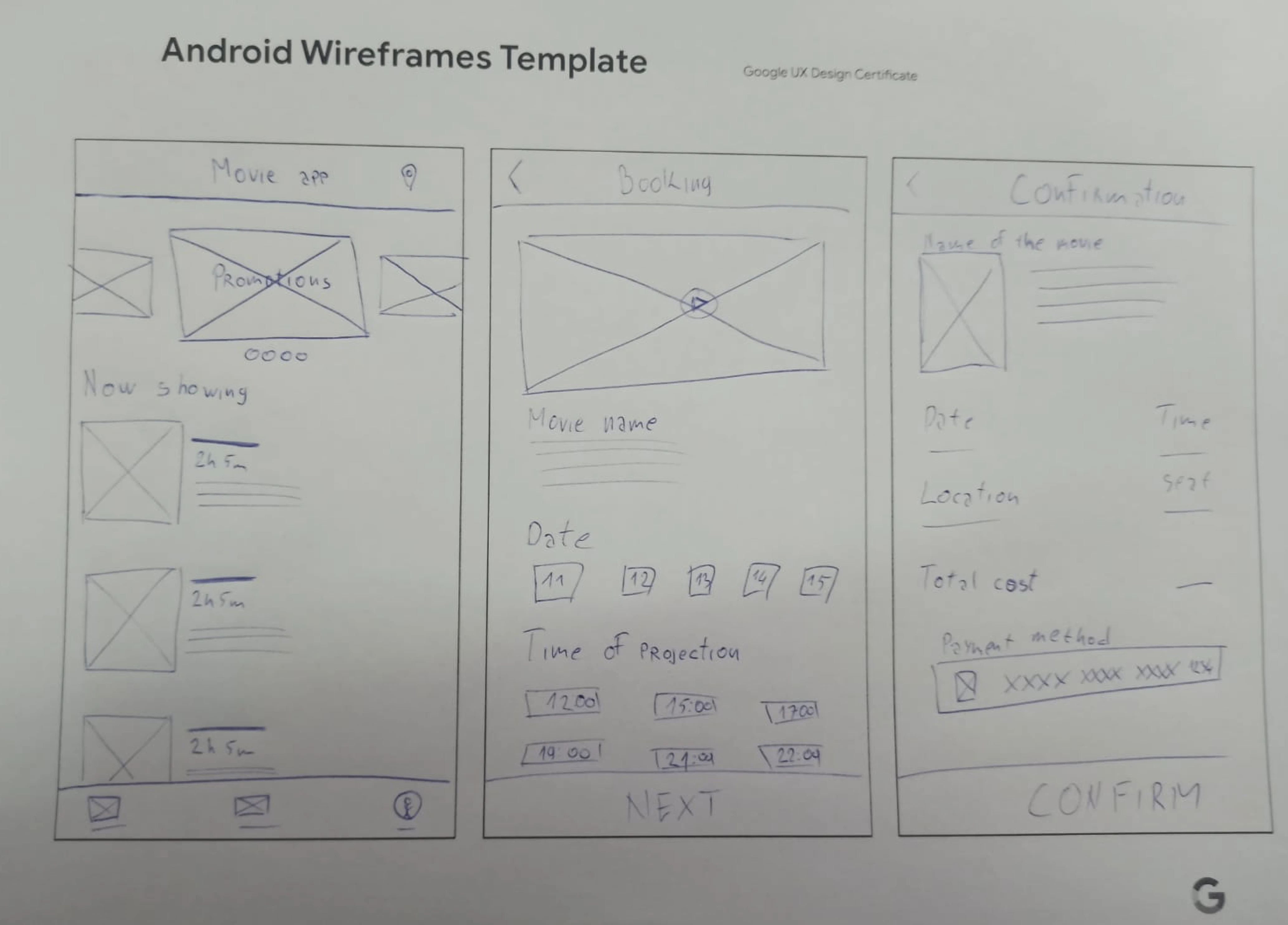
Paper wireframes
Taking the time to draft iterations of each screen of the app on paper ensured that the elements that made it to digital wireframes would be well-suited to address user pain points.
I prioritized a quick and easy booking process to help users save time.
IDEATION
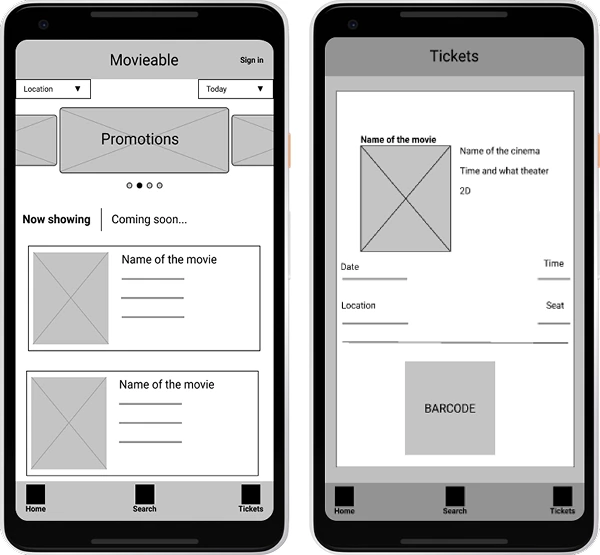
Digital wireframes
As the initial design phase continued, I made sure to base screen designs on feedback and findings from the user research.
Easy and clean access to a booked ticket was a key for users need to address in the designs in addition to equipping the app to work with assistive technologies.
IDEATION
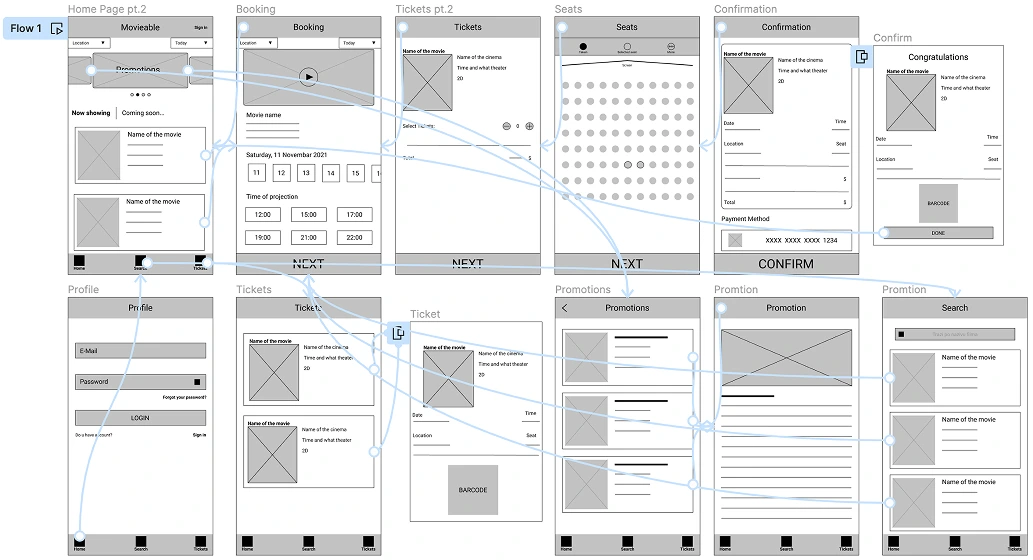
Low-fidelity prototype
View prototypeUsing the completed set of digital wireframes, I created a low-fidelity prototype. The primary user flow I connected was booking a movie and finding a booked ticket, so the prototype could be used in usability studies.
IDEATION
Usability study
I conducted two rounds of usability studies. Findings from the first study helped guide the designs from wireframes to mockups. The second study used a high-fidelity prototype and revealed what aspects of the mockups needed refining.
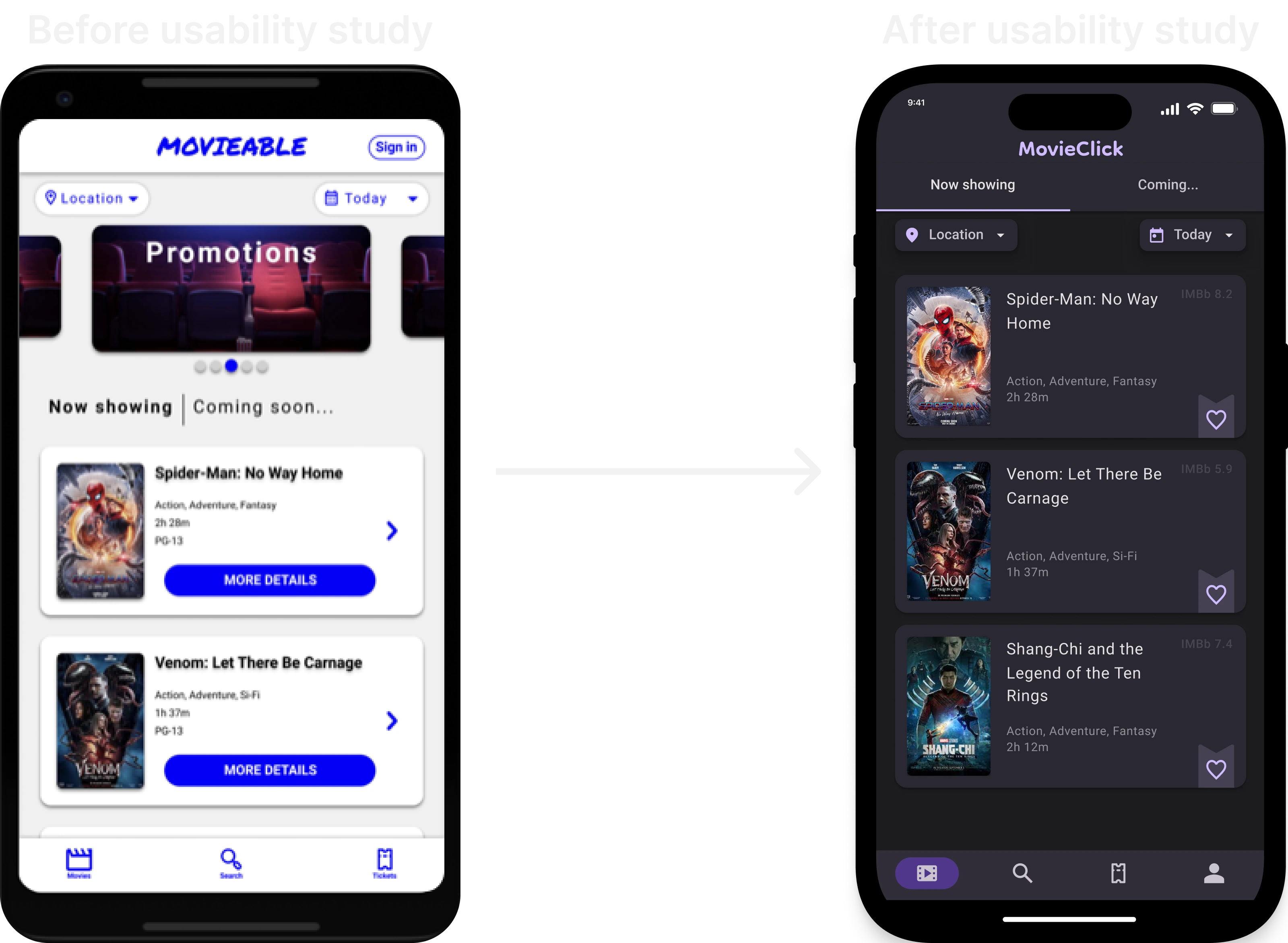
FINAL DESIGNS
Mockups
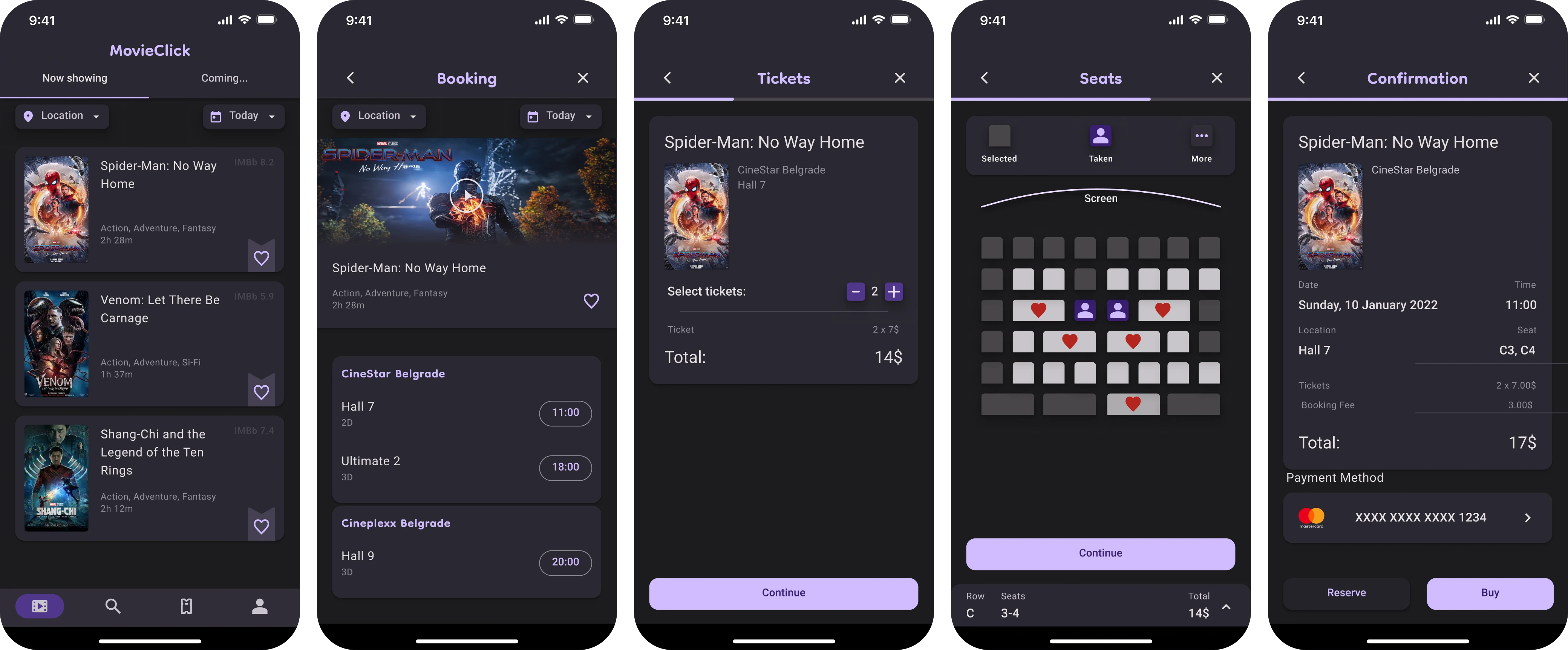
FINAL DESIGNS
Hi-fidelity prototype
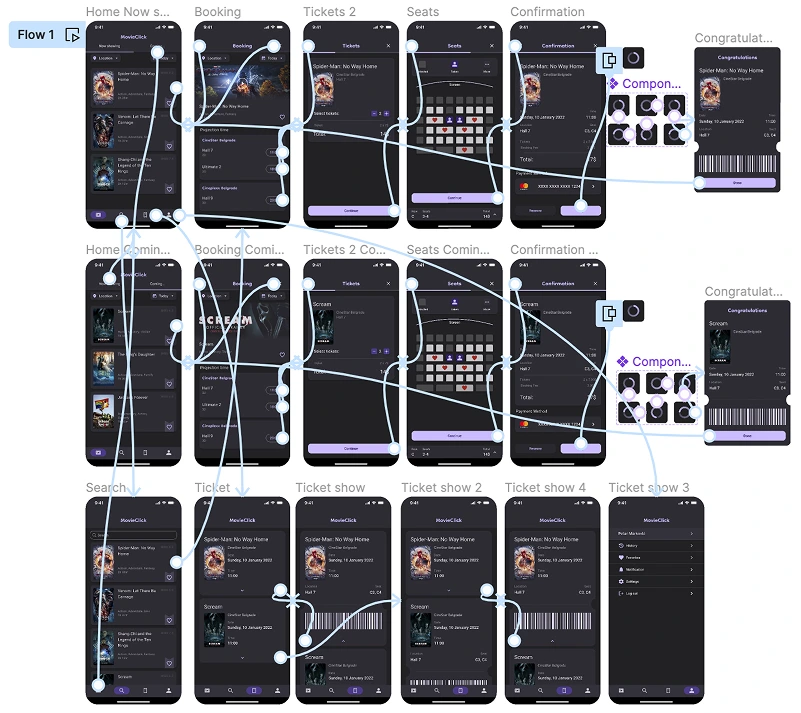
View prototypeMy hi-fi prototype followed the same user flow as the lo-fi prototype, and included the design changes made after the usability study.
REFLECTION
What I learned
While designing the Movieable app, I learned that the first ideas for the app are only the beginning of the process. Usability studies and peer feedback influenced each iteration of the app design.